Data Cabling Belfast: Cat6 and Structured Network Cabling
Ethernet runs, patch panels, PoE for Wi-Fi and CCTV, cabinet builds, and testing for Belfast businesses
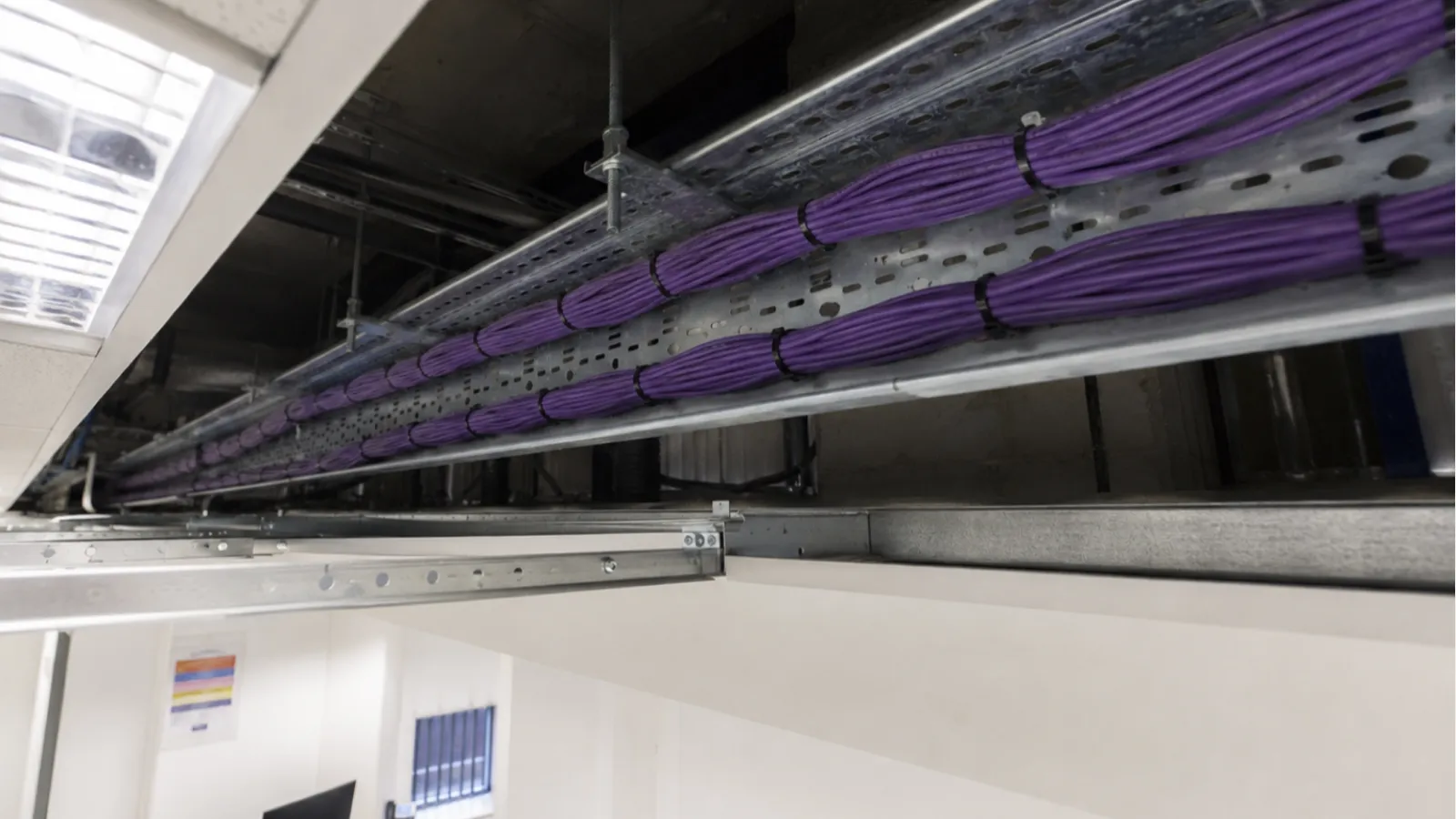
Every Wi-Fi access point, CCTV camera, VoIP desk phone, and networked device in your building depends on the cable behind it. Bad cabling causes intermittent faults that are hard to diagnose: phones that cut out, cameras that drop offline, Wi-Fi access points that reset, and network speeds that never reach what your broadband is capable of.
We install Cat6 structured cabling for offices, warehouses, retail premises, clinics, and commercial buildings across Northern Ireland. Every run is terminated properly, labelled, tested, and documented.
What We Install
Cat6 data cabling
Our standard for all new installations. Cat6 supports speeds up to 10Gbps over short runs and 1Gbps up to 100 metres. It handles PoE+ power delivery better than Cat5e (important for Wi-Fi access points and cameras that draw more power) and gives you headroom as network demands grow. If you are running new cable, there is no reason to use Cat5e in 2026.
Working with existing Cat5e
Cat5e is still adequate for many applications and is often already present in older Belfast buildings. It supports 1Gbps Ethernet and standard PoE. If your building already has Cat5e in good condition, we will not tell you to rip it out. We will test what is there, reuse what performs, and install Cat6 for any new runs.
Structured cabling systems
Not just individual cable runs, but a properly designed cabling infrastructure: patch panels in a wall-mounted or floor-standing cabinet, tidy cable management, clearly labelled ports at both ends, and a cable schedule documenting what connects where. This means changes are easy, faults are diagnosable, and the next person who works on the network can understand the layout without guessing.
PoE cabling for Wi-Fi and CCTV
Wi-Fi access points and IP cameras are typically powered over Ethernet (PoE). This means one cable carries both data and power - no separate power supply at the device. We run Cat6 to every AP and camera location, terminated back to a PoE switch in the cabinet. This is cleaner, more reliable, and easier to maintain than running separate power feeds.
Patch panel and cabinet installation
Wall-mounted cabinets for small offices. Floor-standing racks for server rooms and larger installations. Patch panels, PoE switches, cable management, and power distribution. Everything labelled, tidy, and accessible for future changes.
Cabling installed, tested and documented
Where Cabling Is Needed
- Wi-Fi access points every AP needs a Cat6 cable from the cabinet to its mounting location. This is the backbone of your wireless network.
- CCTV cameras IP cameras need a PoE cable from the NVR or switch to each camera position. Runs often go through walls, ceiling voids, and externally.
- Desk positions VoIP phones, computers, and docking stations. Double points (two ports per desk) allow phone and PC on separate cables.
- Server rooms and comms cabinets patch panels terminating all cable runs, with short patch leads to switches.
- Meeting rooms wall plates for display screens, video conferencing equipment, and visitor connectivity.
- Warehouse and workshop areas weatherproof points for scanners, printers, access control readers, and CCTV cameras in harsh environments.
- Point-to-point links between buildings external-grade Cat6 for connecting outbuildings, yards, or separate structures on the same site, within the 100 metre Cat6 limit.
How an Installation Works
- Site survey I visit, walk the building, identify cable routes (ceiling voids, dado trunking, risers, external runs), count the drops needed, and check for obstacles.
- Quote fixed price per drop, plus cabinet/patch panel hardware. No surprises.
- Installation cable pulled through routes, terminated on both ends, labelled at patch panel and wall plate.
- Testing - every cable run is tested before handover and the results documented. Failed cables are re-terminated or replaced.
- Handover cable schedule provided showing what port connects to what location. Labels match between cabinet and floor plates.
Cat5e vs Cat6: Which Do You Need?
| Feature | Cat5e | Cat6 |
|---|---|---|
| Max speed | 1Gbps | 10Gbps (short runs), 1Gbps (100m) |
| PoE support | Standard PoE (15W) | PoE+ (30W) and PoE++ (60W) more reliable |
| Crosstalk protection | Basic | Better shielding, fewer interference issues |
| New install recommendation | No - use Cat6 for new runs | Yes - standard for all new work |
| Existing cabling | Fine to keep if in good condition | Upgrade path when extending |
Common Problems We Find
- Unterminated cables behind walls previous installer ran cables but never connected them properly at one or both ends
- No patch panel cables plugged directly into a switch with no labelling. Nobody knows what goes where.
- Mixed Cat5 and Cat5e with Cat6 old cables with reduced performance mixed into newer runs, causing inconsistent speeds
- Cable runs too long Ethernet has a 100-metre maximum. Longer runs cause packet loss and intermittent connectivity.
- Cables run alongside power creates interference. Data cables should be separated from mains power by at least 200mm or use screened cable.
- Damaged cables kinked during installation, rodent damage, or pulled too tight around corners. Causes intermittent faults that are difficult to isolate without a cable tester.
- No documentation nobody knows which cable goes to which room. Changes require tracing every run by hand.
Who This Is For
- Offices fitting out new premises or refurbishing existing space
- Businesses adding Wi-Fi access points and needing PoE cable runs to each location
- CCTV installations needing Cat6 to camera positions
- Warehouses and workshops needing network connectivity at specific stations
- Server rooms and comms cabinets needing proper structured cabling
- IT companies and MSPs needing a local cabling subcontractor in Northern Ireland
- Construction projects needing first-fix and second-fix data cabling
Coverage
All Belfast postcodes and greater Belfast area. Site surveys are arranged to suit you. For wider Northern Ireland coverage, see our data cabling Northern Ireland page.
Need ongoing network maintenance after installation? Ask about our support contracts.
After Installation: Network Maintenance and Support
Cabling is infrastructure that other systems depend on. If you need ongoing support for the network that runs over these cables - managed switches, Wi-Fi access points, CCTV, VoIP phones, or firewall and security - we offer managed IT and support contracts that cover the full stack.
Need ongoing network maintenance after installation? Ask about our support contracts.
Why Contact Us Directly
| Marketplace enquiry | Direct with Drakos |
|---|---|
| Your details go to several unknown companies | You speak directly to the person doing the work |
| Price often comes before a proper survey | We survey first, then quote accurately |
| Harder to judge technical quality | You can ask exactly how the install will be done |
| Installer may be subcontracted | You know who is responsible from survey to handover |
| No ongoing relationship | We offer maintenance and support after installation |
Get a Cabling Quote
Tell me what you need cabled - number of drops, building type, and what the cables will carry. I will visit, check routes, and give you a fixed price. Ask about ongoing monitoring and maintenance cover.
Related Services
- Business Wi-Fi installation - access points need Cat6 cabling to each location
- CCTV installation - IP cameras need PoE cable runs
- CCTV installation Belfast
- Business Wi-Fi installation Belfast
- Managed IT and cyber security - ongoing network support after installation
- All IT and telecoms services across Northern Ireland